
Core Character Page
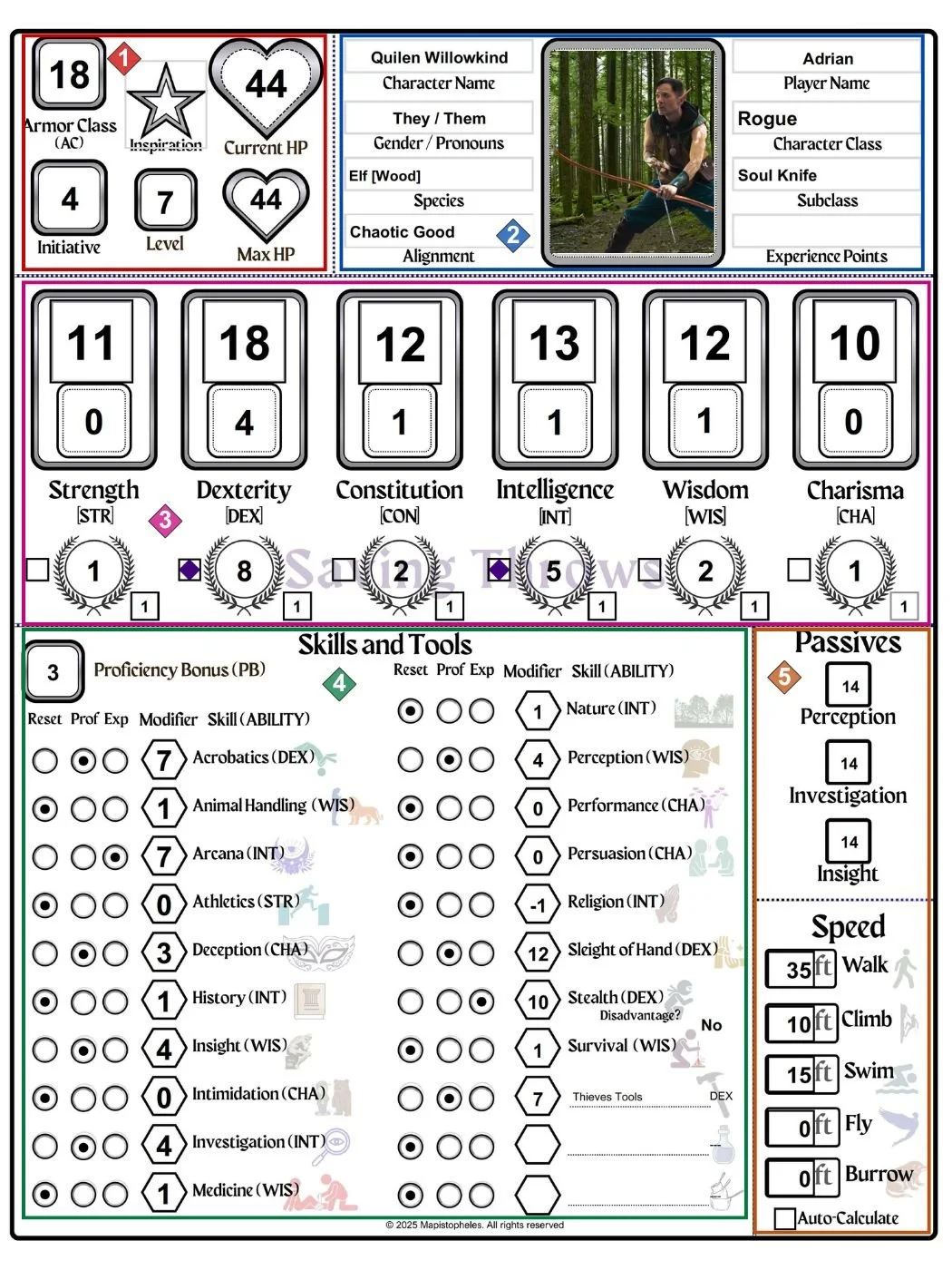
Your at-a-glance character stats. Armor Class (AC) and Hit Points (HP) are linked to the Combat Control page (p. 2). Your character level drives many calculations across the sheet, so it should be set early.

Core character details. Enter your character’s name, player name, and select your species and class. These selections power and unlock other fields throughout the sheet.

Ability Scores, modifiers, and saving throws. Saving throw proficiencies are determined by class and indicated by the square to the left. The lower square allows for additional modifiers (such as from magic items).

Proficiency Bonus, Skills, and Tools. Skill proficiency and expertise are selected using the circles. For tools, use the dropdown to choose the associated ability.

Passives and Speed. Passive scores are calculated as the skill value + 10. Speed values are auto-calculated but can be manually adjusted if needed.
